Keeps Your Original Aspect Ratio
The output follows the shape of the image you upload, so a vertical product shot stays vertical and a widescreen still stays wide. You don't have to re-crop for each platform or lose the edges of your composition.


Vidu Q4 Preview is ShengShu's newest AI video model. It turns one image, or up to 15 reference images and 3 voice clips, into videos of up to 16 seconds with native audio and 2K/4K output.
Released by Vidu on Oct 7, 2026 · Now on Topview
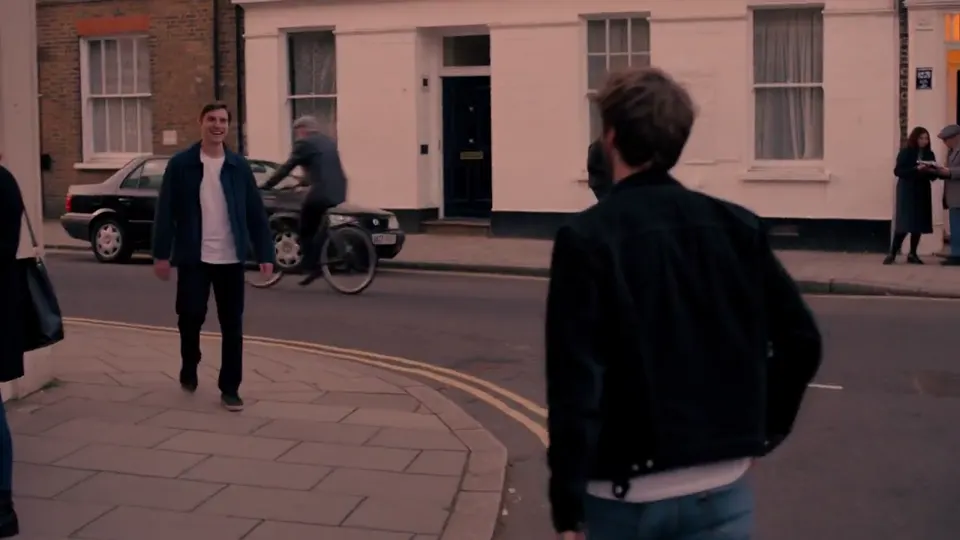
Start from a single image. Describe the motion and the camera, and Vidu Q4 extends the still into a 3–16 second clip at 2K or 4K. Used as an image animator, it keeps the look of the frame you upload and lets the prompt decide what happens next.
The output follows the shape of the image you upload, so a vertical product shot stays vertical and a widescreen still stays wide. You don't have to re-crop for each platform or lose the edges of your composition.
Martial arts, running and fight scenes are where image-to-video clips tend to warp. Vidu says Q4 keeps this kind of motion fluid, with fewer deformations, stutters and artifacts. Name the action and its direction in the prompt to give the model a clear path.
Explosions, smoke, particles and energy effects render with more natural light and movement. That matters for game trailers, fantasy shorts and product reveals, where one burst of VFX carries the whole shot.
A common complaint about Vidu image to video is a clip that drifts away from the brief. Q4 follows camera moves and transitions more closely, but the prompt still steers: one subject, one main action and one camera move per shot gives the most predictable result.
Reference to video is where Q4 changes the most. Instead of one starting frame, you hand the model a set of references: faces, outfits, props, locations and a style frame. Up to 15 images and up to 3 voice clips go into a single generation, and Vidu Q4 builds the scene around them.
Upload each character, costume and prop the way a crew preps a set. With 15 slots, up from 7 in the Q3 reference models, a two-person scene can carry front and side views of both characters, plus the location and a style reference.
When two references disagree on a face or a costume, the prompt decides. Point to each reference by its tag and say what it does in the shot, for example: "@1 in the white gi punches while @2 holds guard." Clear tags cut the guesswork that leads to mixed-up faces.
Add up to three voice clips, each 3–12 seconds long, to clone your characters' voices. The clips set how a character sounds; the dialogue itself goes into the prompt, assigned to whoever says it.
Vidu reference to video in Q4 accepts still images and audio. It does not take a reference video for motion or editing, so if you need to copy movement from existing footage, use a model that supports video reference.
Q4 generates sound with the picture. Dialogue and ambient sound come out in the same pass, so you aren't exporting a silent clip and patching audio in afterwards.
Lip movement is generated together with the voice and the face, rather than pasted onto a finished clip. Expressions and mouth shapes stay tied to what the character is actually saying.
With earlier models, one character could sound different every time you generated. Voice references tie the voice to a sample you choose, so a series character keeps one voice from episode to episode.
Put dialogue in quotation marks and name who says it. Keep each line short enough to fit the clip: 16 seconds is the ceiling, and shorter lines leave room for a reaction shot.
Vidu built Q4 for four kinds of work: AI series, advertising, social content and cinematic production. Here is how each one uses the Vidu AI video generator.
Recurring characters need the same face and voice in every episode. Reference images and voice clips make that practical across a full run of short episodes.
Test several creative directions for a pitch, or make versions of one product spot for different markets, without rebuilding the cast each time.
Vertical clips for Reels, Shorts and TikTok, with dialogue and sound already built in.
Block out performance, framing and pacing before a shoot. 4K output with 10-bit color holds up when footage goes through color grading.
Vidu Q4 is available on Topview. These are the steps.
Describe the video you want in the prompt: the action, the camera, and who does what.
Click generate. Vidu Q4 turns the prompt and your images into the clip.
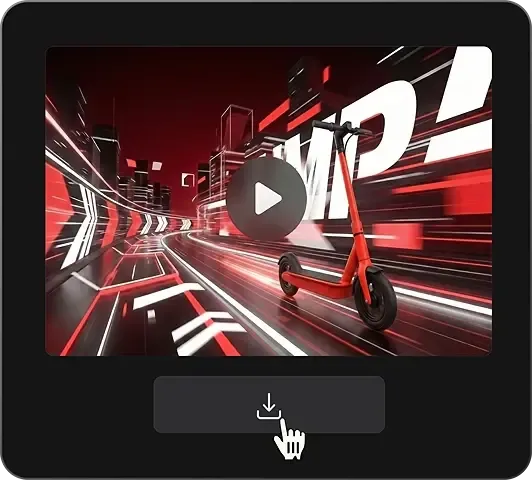
Review the video, then download the version you want.
Here is what changed, based on Vidu's own API documentation. A dash means the feature isn't offered or isn't listed for that model.
| Vidu Q4 Preview | Vidu Q3 Pro | Vidu Q3 (reference models) | Vidu Q2 | |
|---|---|---|---|---|
| Generation modes | Image to video, reference to video | Text to video, image to video, start/end frame | Reference to video | Reference to video* |
| Max length | 16s | 16s | 16s | 10s |
| Reference images | Up to 15 | — | Up to 7 | Up to 7 |
| Voice references | Up to 3 | — | Voice reference on Q3 Mix | — |
| Max resolution | 4K (10-bit color) | 1080p | 1080p | 1080p |
| Native audio | Yes | Yes | Yes | — |
| Artificial Analysis image-to-video rank | #3 | #19 | — | — |
*Q2 figures are for its reference-to-video mode only.
Two things stay the same. The 16-second ceiling matches Vidu Q3, and Q4 has no text-to-video mode, which Q3 Pro still offers. If you need either, see our .
On the Artificial Analysis image-to-video leaderboard, Vidu Q4 Preview debuted at #3, while Vidu Q3 Pro sits at #19 on the same board (as of Oct 8, 2026).
Topview puts Vidu Q4 next to the rest of your video workflow.
Run the same references and script through Vidu Q4, Vidu Q3 and other models in one workspace, then keep the clip that fits.
Share drafts with teammates and agree on a version before anything goes out.
Take the result straight into Topview's ad and social video formats instead of moving files between tools.
Weighing your options? See our Vidu AI alternatives guide.
Start from one image, or from up to 15 references and 3 voice clips. Generate a clip of up to 16 seconds on Topview.